
Storage cleaner for iPhone and Mac
Make
room
One scan finds duplicate photos, junk, forgotten files and apps you never open, then lays them out as a plan. Nothing leaves until you say so, and everything stays on your device.
How it works
One scan,
one plan
Roomy looks at everything once, quickly, and draws your storage as a floor plan. Each room is something that could go.
- Orange rooms are safe to clear nowExact copies, burst extras, caches and installers for apps you already have. One tap clears them.
- Hatched rooms are worth a look firstSimilar shots, old downloads, big videos. Roomy suggests what to keep; you decide.
- Everything else staysFavourites, your picks, system files and anything you mark as never touch.
Roomy for iPhone
Your photo
library, lighter
Roomy reads your library on the iPhone itself and finds what takes space without earning it.
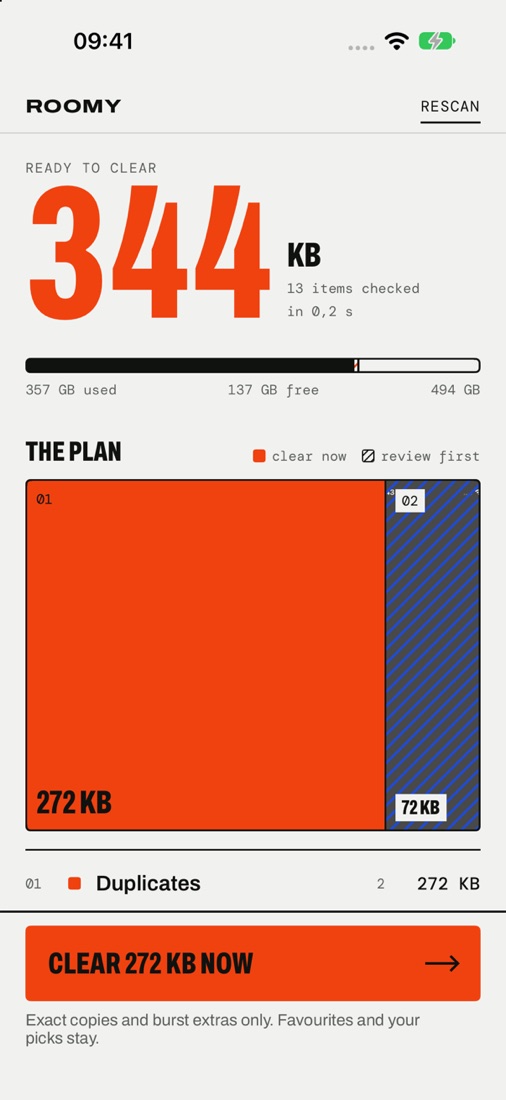
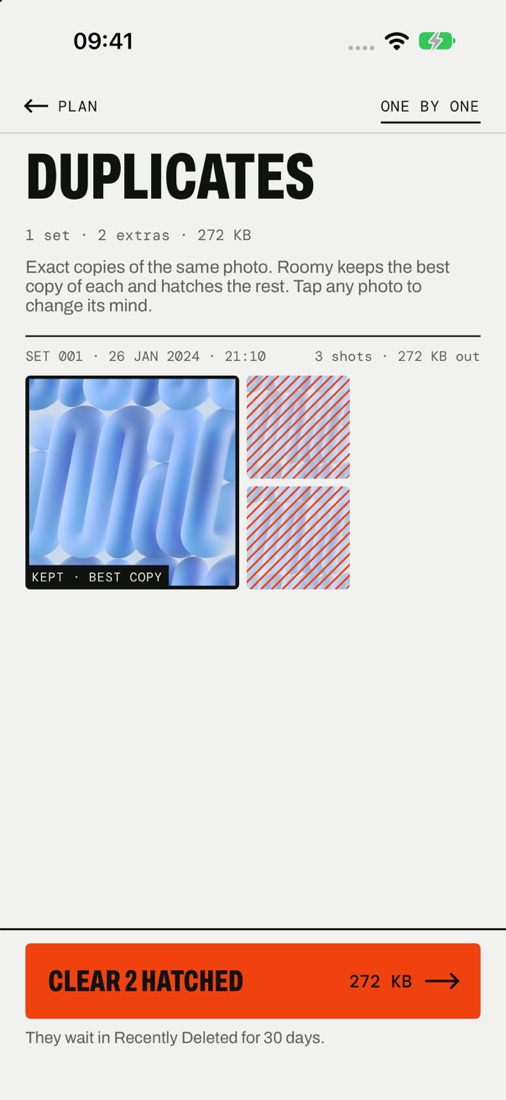
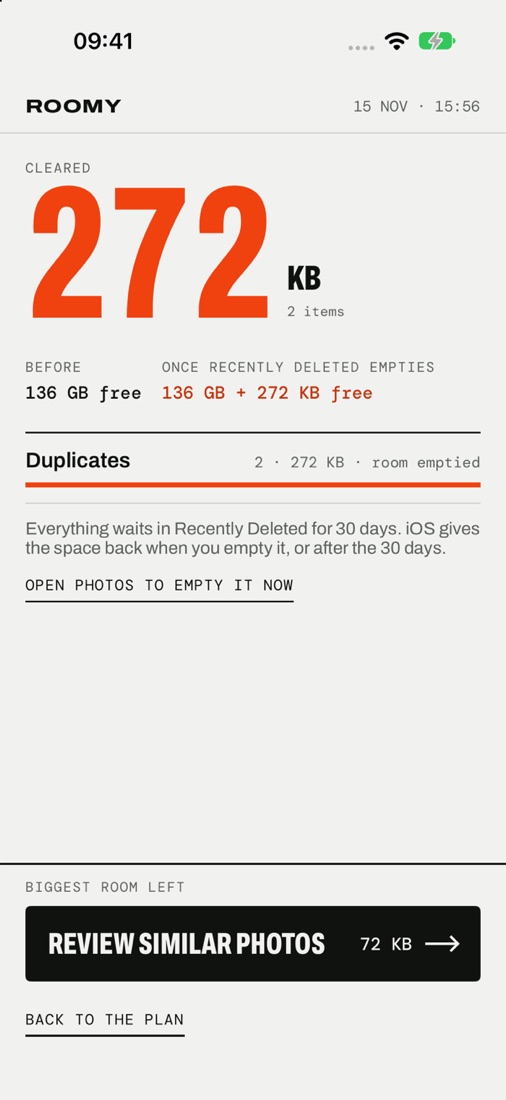
- Duplicates and burst extrasExact copies of the same photo. Roomy keeps the best copy of each and marks the rest.
- Similar shotsNear-identical photos taken seconds apart. Swipe through them one by one, or keep Roomy's pick.
- Screenshots, big videos and saved from chatsThe images messaging apps save for you, old screenshots and the videos that take the most space.
- Live Photos to stillsKeep the photo, drop the movie part, when you don't need it.
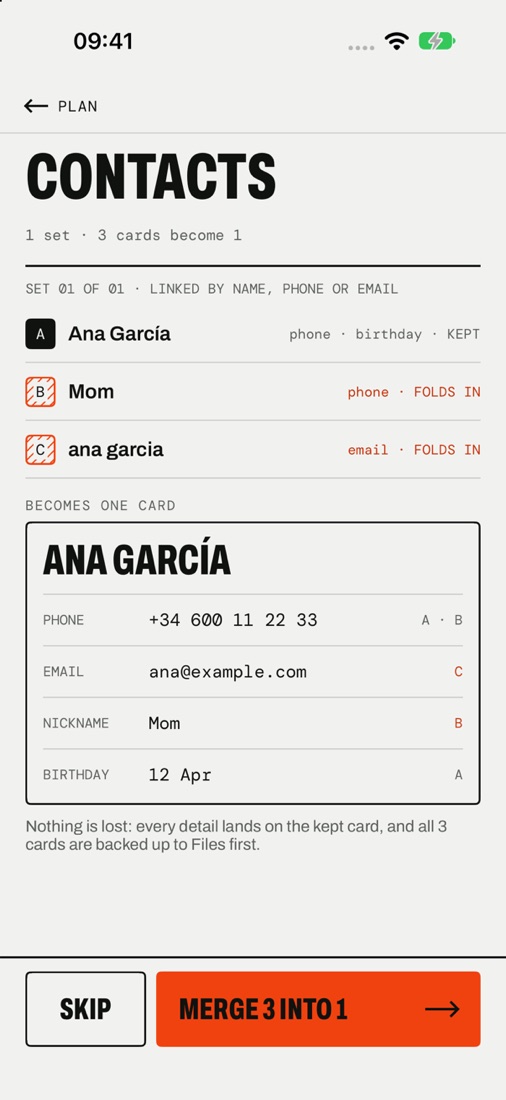
- Contact mergesDuplicate cards linked by name, phone or email become one. Every detail lands on the kept card, and the originals are backed up to Files first.
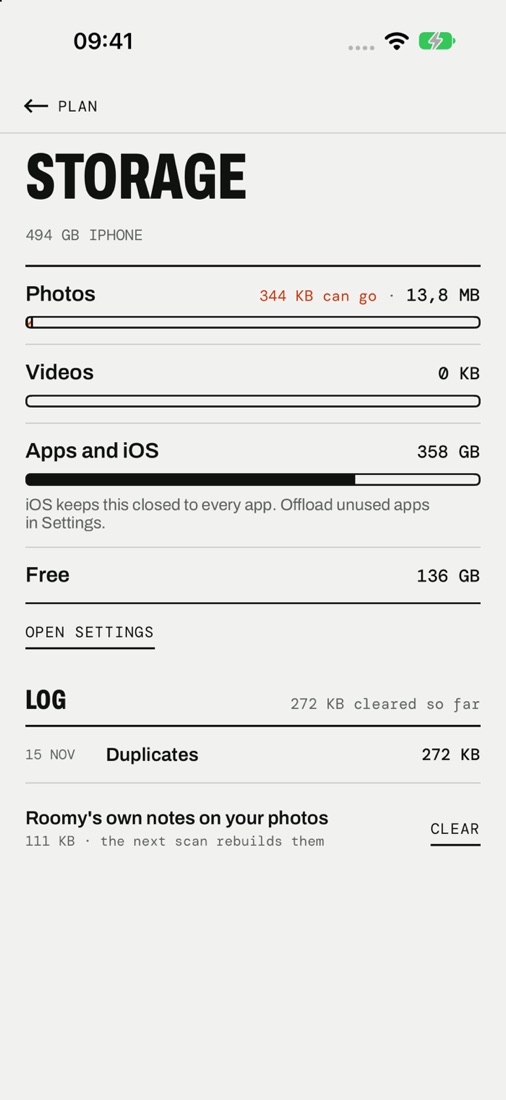
- By month and by roomSee where the space went, month by month, and a clearing goal to aim for.
- Nothing is lost by accidentCleared photos wait in Recently Deleted for 30 days. Favourites and your own picks always stay.
- A widgetHow much could be cleared, on your Home Screen.
Roomy for Mac
Make room
on your Mac
A native Mac app that scans millions of files in seconds and turns them into a plan. Tuned for developer, video, photo and music work, where most of the forgotten gigabytes live.
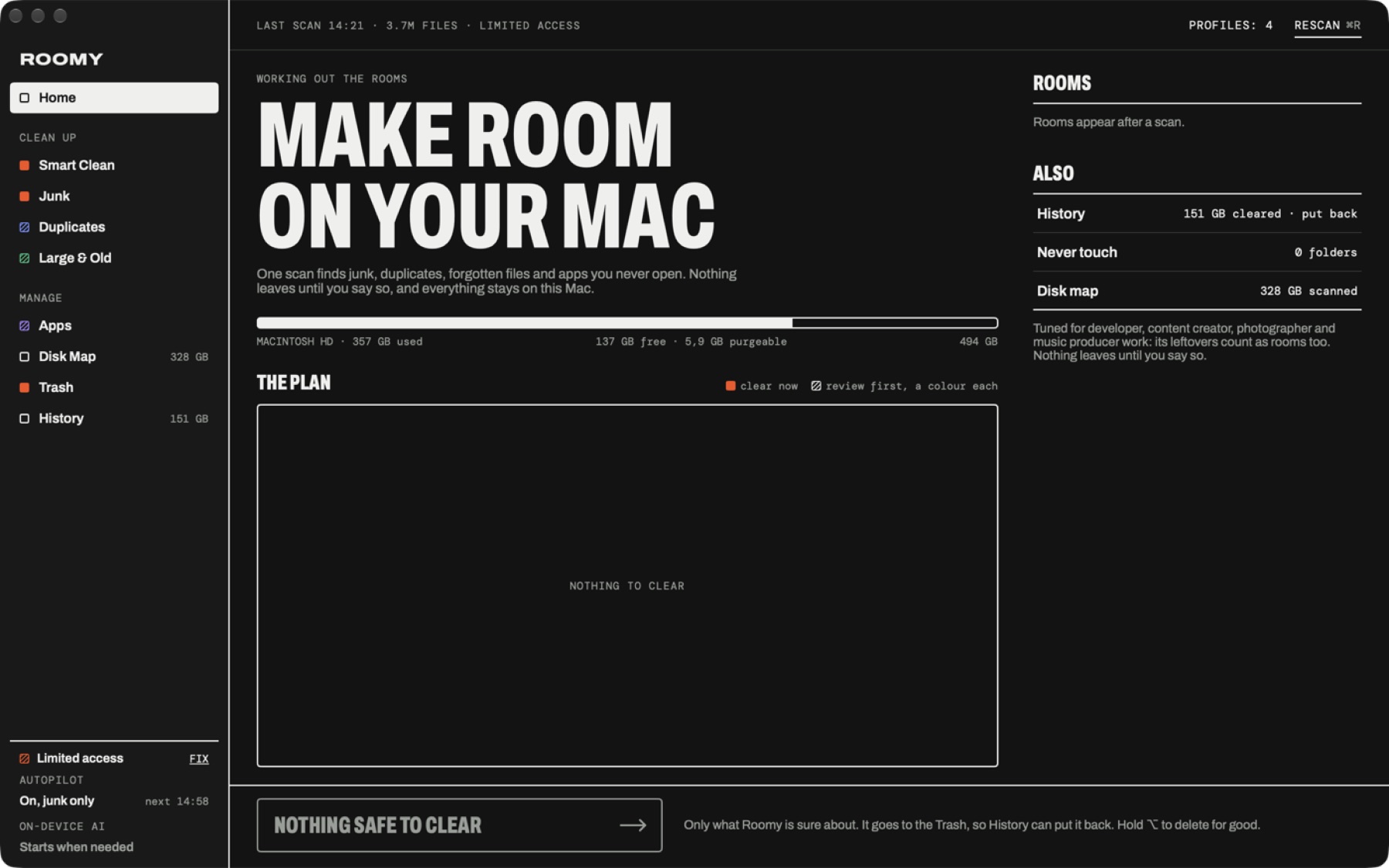
- Smart CleanEvery finding ranked with a reason and a confidence. Only what is safe is preselected.
- JunkApp caches, logs, crash reports, Xcode build data, simulator and package caches, old installers and mail attachment copies.
- DuplicatesSampled hashes first, a full check only for files that still match. APFS clones are recognised, so the space shown is space you really get back.
- Large & OldBig files you haven't opened in a long time, with packages like photo libraries counted as one item.
- Apps, fully removedUninstall an app with its caches, settings, containers and launch agents. Apple apps and running apps are left alone.
- Disk mapA map of any folder: see what is big at a glance and drill in.
- History and put backEverything goes to the Trash first and every batch is logged, so you can put it back.
- AutopilotClears safe junk on a schedule while you work.
- Profiles and Never touchTell Roomy what kind of work you do, and which folders it must never suggest.
- Optional on-device AIIf you run a local model on your Mac, Roomy describes large files to it as short text cards (name, folder, size, dates; never contents) for a second opinion. It only talks to your own Mac.
Speed and safety
Fast. Careful.
Private.
- Seconds, not minutesOn the Mac, Roomy reads whole folders in a few system calls, on every core at once, and keeps the last scan so it opens instantly.
- Nothing leaves until you say soRoomy suggests; you clear. Protected system folders are refused outright.
- Everything stays on your deviceYour photos, contacts and files are read on the device and never uploaded. No accounts, no ads, no analytics, no tracking.
Free and Pro
Clear it all
Scanning, the storage map and the one-by-one review are free and stay free. Roomy Pro clears whole rooms in one go.
Free
0 €
$0
- Full scan and the plan
- Storage map and disk map
- One-by-one review and clearing
- Junk and Large & Old on Mac
Yearly
19,99 € / year
$19.99 / year
- Everything in Roomy Pro
- Try it free for 7 days
- Cancel any time
Lifetime
39,99 € once
$39.99 once
- Everything in Roomy Pro
- Pay once, keep it
- No renewals
- Clear nowEverything safe on the plan, cleared in one tap or click.
- Whole roomsEvery marked duplicate, similar shot, screenshot or video at once.
- ContactsMerge one set or all of them, with a backup first.
- On Mac: Smart Clean and DuplicatesClear whole suggestions and every extra copy at once.
- On Mac: apps, fully removedUninstall apps with their leftovers.
- On Mac: AutopilotSafe junk cleared on a schedule.
Prices are shown in US dollars and euros; the App Store and our checkout show the price for your country, including any taxes. On iPhone, Roomy Pro is bought through your Apple Account. On Mac, it is bought through a secure checkout in your browser, run by RevenueCat with Stripe.
Questions
Good to
know
Does Roomy upload my photos or files?
No. Scanning, matching and clearing all happen on your device. Roomy has no servers that see your library or your disk. The only network requests are the ones needed to check a Roomy Pro purchase.
What happens to what I clear?
On iPhone, photos and videos go to Recently Deleted, where they stay for 30 days unless you empty it. On Mac, files go to the Trash and every batch is logged in History so you can put it back. Deleting for good is always a separate, explicit choice.
Why does Roomy need access to my photos, contacts or full disk?
To find what can go, Roomy has to look. On iPhone it asks for Photos (and Contacts only if you open Contacts). On Mac, Full Disk Access lets it see caches and leftovers in protected folders; without it, some rooms may be missing.
How do I cancel the yearly plan?
On iPhone: Settings › your name › Subscriptions › Roomy. On Mac: from the link in your purchase receipt email. Cancel at least 24 hours before the renewal date to avoid the next charge. Lifetime has nothing to cancel.
Can I use Pro on another Mac?
Yes. Settings › Roomy Pro shows your Roomy ID. Type it into Roomy on your other Mac with Other Mac on the paywall, and Pro comes along.
How do I get in touch?
Email contact@remapps.es.